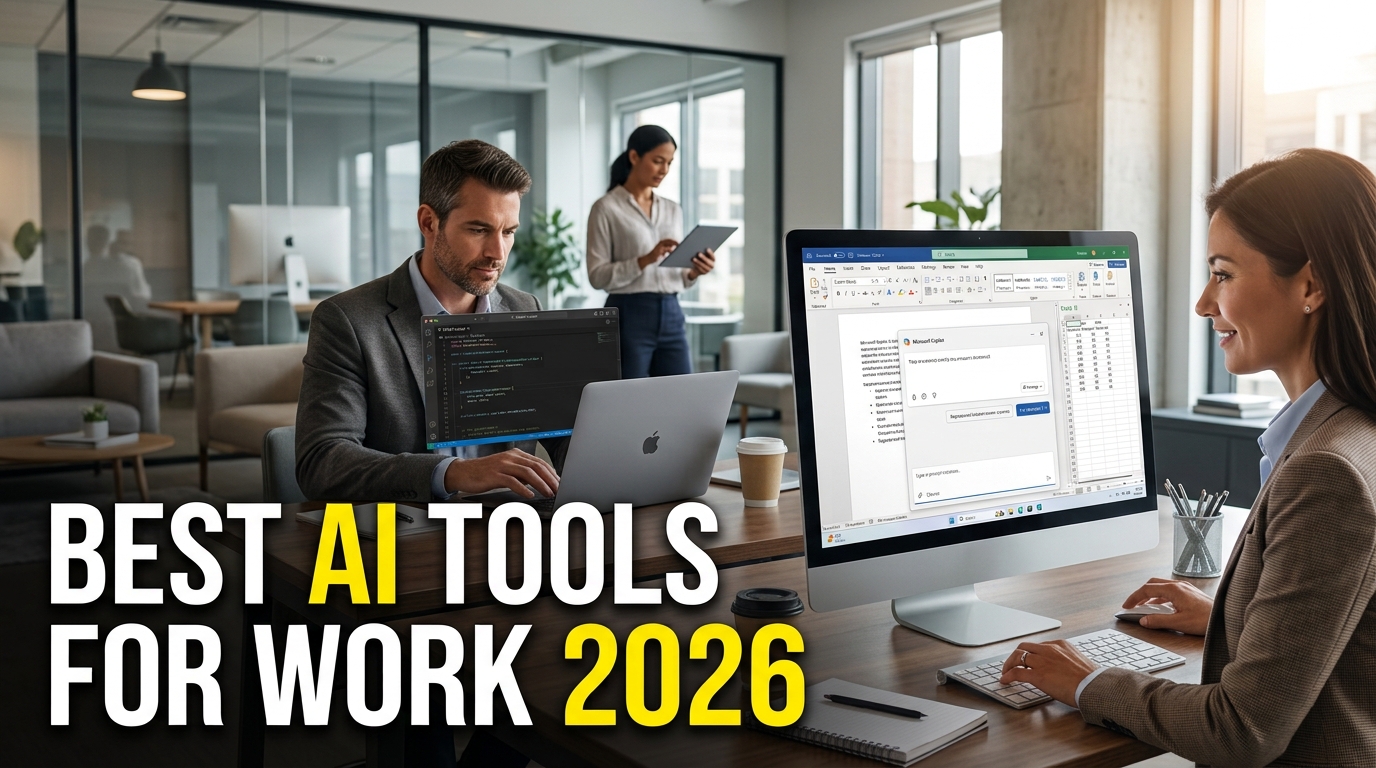
Best AI Tools for Work in 2026
Artificial intelligence has become one of the most important workplace technologies in 2026. From writing emails and analyzing spreadsheets to summarizing meetings, researching documents, creating presentations, and writing code, AI tools are changing how employees and businesses get work done.
Also read:
Wildfire warning as weather increases risk across the UK South East
The best AI tools for work are no longer limited to simple chatbots. Many workplace AI platforms can now connect with business applications, understand company information, automate repetitive tasks, and help employees complete multi-step workflows.
For professionals in the United States, choosing the right AI productivity tool depends on the type of work, existing software, security requirements, and budget. A marketing team may benefit most from ChatGPT or Claude, while a Microsoft 365 organization may get more value from Microsoft Copilot. Google Workspace users can take advantage of Gemini, while developers may prefer GitHub Copilot.
Here are some of the best AI tools for work in 2026 and what each one is best suited for.
1. ChatGPT – Best Overall AI Tool for Work
OpenAI’s ChatGPT remains one of the most versatile AI productivity tools for professional work.
Employees can use ChatGPT to draft emails, brainstorm ideas, summarize information, analyze data, create reports, research topics, write documents, prepare presentations, and assist with coding.
OpenAI has also expanded ChatGPT’s workplace capabilities. In July 2026, OpenAI introduced ChatGPT Work, an agent designed for longer and more involved tasks. According to OpenAI, it can research information, analyze files, work across connected apps, and create finished documents, spreadsheets, presentations, reports, and websites.
For organizations, ChatGPT Enterprise provides centralized administration, enterprise security controls, SSO, SCIM, usage insights, longer context windows, advanced data analysis, and customization options.
Best for: Writing, research, brainstorming, data analysis, business planning, automation, and general productivity.
2. Microsoft 365 Copilot – Best for Microsoft Office Users
Microsoft Copilot is one of the strongest choices for businesses already using Microsoft 365.
Instead of requiring employees to move information between different AI platforms, Microsoft Copilot works within Microsoft’s productivity ecosystem, including applications such as Word, Excel, PowerPoint, Outlook, and Teams.
One of the major developments in 2026 is Copilot Cowork. Microsoft describes it as a system that can carry out tasks across the Microsoft 365 environment. Users can ask it to draft and send emails, schedule meetings, create Word documents and Excel spreadsheets, build PowerPoint presentations, post in Teams, search company resources, and manage files.
This makes Copilot particularly useful for organizations that already rely heavily on Microsoft software.
Best for: Office work, emails, spreadsheets, presentations, meetings, and enterprise workflows.
Microsoft Copilot official information
3. Google Gemini – Best AI for Google Workspace
For businesses using Gmail, Google Docs, Google Sheets, Google Meet, and Google Drive, Gemini is one of the most natural AI productivity options.
Google has continued expanding Gemini throughout 2026. Its Workspace tools can assist with writing, document creation, data analysis, presentations, emails, meetings, and other everyday tasks.
In March 2026, Google announced new Gemini capabilities for Docs, Sheets, Slides, and Drive designed to help users create and refine content using information from emails, chats, and files.
Google has also been developing AI-powered workflow automation and agents for Workspace. Its Workspace updates include tools designed to automate everyday work and help employees complete repetitive tasks more efficiently.
Best for: Gmail, Docs, Sheets, Slides, Drive, meetings, research, and Google-based businesses.
Google Workspace official website
4. Claude – Best for Long Documents and Complex Work
Anthropic’s Claude is another major AI assistant for professional users.
Claude is particularly useful for analyzing long documents, creating business content, researching complicated subjects, reviewing code, and handling tasks that require substantial context.
Anthropic’s Enterprise offering includes security features such as SSO, role-based permissions, audit logs, SCIM, custom data-retention controls, and expanded context capabilities.
Anthropic has also been pushing Claude beyond the traditional chatbot model. In June 2026, the company introduced Claude Tag, allowing teams to bring Claude into Slack channels and delegate tasks to it using workplace context and connected tools.
Best for: Long documents, research, coding, business analysis, writing, and enterprise AI.
5. Notion AI – Best for Knowledge Management
Notion combines notes, project management, databases, documentation, and AI in one workspace.
Notion AI can help teams search information, write and edit documents, summarize meetings, conduct research, create databases, and organize projects.
Notion says its AI can search connected applications while respecting existing permissions. Its AI features also include meeting notes, research assistance, writing help, and task automation.
This makes Notion AI particularly useful for companies that need a centralized knowledge base.
Best for: Project management, company documentation, meeting notes, knowledge management, and team collaboration.
6. Slack AI – Best for Team Communication
Slack is widely used by teams for messaging, project discussions, and collaboration. Its AI features are designed to make workplace communication easier to manage.
Slack AI can summarize conversations, help employees find important information, provide intelligent briefings, and assist with workflow automation.
Slack also allows users to build workflows with AI. Its Workflow Builder can use natural-language prompts to help create automated processes, including workflows that generate AI answers or channel summaries.
For teams dealing with hundreds or thousands of daily messages, AI-powered search and summaries can significantly reduce the time spent looking for information.
Best for: Team communication, workplace search, summaries, and workflow automation.
7. Adobe Acrobat AI Assistant – Best for PDFs and Documents
For professionals who regularly work with contracts, reports, proposals, research papers, and other PDF documents, Adobe Acrobat AI Assistant is a useful workplace AI tool.
Adobe’s AI Assistant can answer questions about PDF content, summarize documents, and provide source references. Users can also work across multiple PDFs using PDF Spaces.
This is especially useful for legal, finance, sales, HR, procurement, and administrative teams that regularly need to extract information from large documents.
Adobe also provides AI-powered tools that can help users perform PDF actions through natural-language instructions.
Best for: PDFs, contracts, reports, document analysis, research, and business paperwork.
Adobe Acrobat AI Assistant official information
8. Zoom AI Companion – Best for Meetings
Zoom has expanded its AI capabilities beyond basic meeting summaries.
Zoom’s 2026 AI developments include AI Companion features for meetings, documents, spreadsheets, slides, workflows, and other workplace activities.
In March 2026, Zoom announced AI Companion 3.0 with expanded work surfaces, personal agents, workflows, AI Docs, AI Sheets, and AI Slides.
Zoom later introduced ZoomMate, an agentic AI work surface designed to connect conversations with enterprise information and workflow execution.
Best for: Meetings, meeting summaries, collaboration, presentations, and workplace workflows.
9. GitHub Copilot – Best AI Tool for Developers
GitHub Copilot is one of the leading AI tools for software developers.
It can assist with code generation, explanations, debugging, development tasks, and repository workflows. In 2026, GitHub has increasingly focused on agent-based development.
GitHub says Copilot can work across the IDE, GitHub, command line, project tools, chat applications, and custom MCP servers. Its agent capabilities can also work asynchronously on assigned tasks, allowing developers to review plans, code, or pull requests later.
Best for: Software development, coding, debugging, code review, and engineering workflows.
GitHub Copilot official website
How to Choose the Best AI Tool for Work
There is no single AI tool that is perfect for every employee or company. The best choice depends on the software your organization already uses and the tasks you want AI to handle.
Consider Your Existing Software
If your company relies on Microsoft 365, Microsoft Copilot may be the most convenient choice. Google Workspace organizations may find Gemini easier to integrate into their existing workflows.
Consider Your Main Tasks
For general writing and research, ChatGPT and Claude are strong options. For PDFs, Adobe Acrobat AI Assistant is more specialized. For software development, GitHub Copilot is a natural choice.
Consider Data Privacy
Businesses should carefully review AI vendors’ privacy, security, data retention, access controls, and compliance policies before uploading confidential information.
Enterprise AI adoption should involve IT, security, legal, and compliance teams when sensitive company data is involved.
Look for Workflow Integration
The next generation of workplace AI is moving beyond simple question-and-answer systems. The most useful tools increasingly connect with calendars, email, documents, project management systems, communication platforms, and business databases.
That means businesses should evaluate not just how intelligent an AI model is, but also how well it fits into the company’s existing workflow.
Benefits of AI Tools for Work
AI workplace tools can provide several practical benefits:
- Faster email and document writing
- Automated meeting summaries
- Faster information retrieval
- Improved research
- Spreadsheet and data analysis assistance
- Faster presentation creation
- Software development assistance
- Automated repetitive workflows
- Better team knowledge management
- More efficient customer communication
- Reduced time spent on administrative tasks
The biggest advantage is often not replacing employees but reducing repetitive work so people can spend more time on decision-making, creativity, customer relationships, and strategic activities.
Are AI Tools Replacing Employees?
AI is changing many job responsibilities, but the impact is more complicated than simply replacing workers.
In many workplaces, AI acts as an assistant that helps employees complete tasks faster. A marketer can use AI to brainstorm campaigns, a salesperson can summarize customer information, an analyst can work with spreadsheets, and a developer can use AI to accelerate coding.
The employees who learn how to use AI effectively may gain a productivity advantage over those who continue performing every task manually.
However, human review remains important. AI systems can produce inaccurate information, misunderstand context, or make inappropriate recommendations. Important business decisions should therefore continue to involve human judgment.
The Future of AI at Work in 2026
The major trend in 2026 is the shift from AI assistants to AI agents.
Traditional AI assistants generally wait for a user to ask a question. Newer workplace AI systems increasingly perform multi-step tasks, interact with business applications, search company information, create documents, and take actions with user approval.
Microsoft’s Copilot Cowork, OpenAI’s ChatGPT Work, ZoomMate, Google’s Workspace AI development, Anthropic’s Claude integrations, and GitHub Copilot agents all demonstrate this broader direction.
For businesses, this could mean that AI becomes less like a separate application and more like a digital coworker embedded throughout everyday workflows.
Frequently Asked Questions
What is the best AI tool for work in 2026?
ChatGPT is one of the strongest general-purpose AI tools for work because it can assist with writing, research, analysis, brainstorming, documents, and many other professional tasks. However, Microsoft Copilot, Gemini, Claude, and specialized tools may be better depending on your workflow.
What is the best free AI tool for work?
Free availability and limits change frequently. ChatGPT, Gemini, Claude, and other AI platforms may offer free access or limited free features. Users should check the current official plans before choosing a tool for professional work.
Is ChatGPT good for business?
Yes. ChatGPT can support writing, research, analysis, brainstorming, coding, document creation, and business workflows. OpenAI also offers business and enterprise options with organizational controls and security features.
Is Microsoft Copilot better than ChatGPT?
Neither is universally better. Microsoft Copilot can be particularly useful for organizations deeply invested in Microsoft 365, while ChatGPT is a more general-purpose AI platform with a broad range of capabilities.
What is the best AI for writing emails?
ChatGPT, Microsoft Copilot, Google Gemini, Claude, and Grammarly can all assist with professional email writing. The best choice depends on the email platform and workflow your organization already uses.
What is the best AI for meetings?
Zoom AI Companion, Microsoft Copilot, and Google Workspace with Gemini are strong choices for meeting-related productivity. They can help with summaries, notes, follow-up tasks, and information retrieval.
What is the best AI for developers?
GitHub Copilot is one of the leading AI tools for developers. It integrates directly with development environments and GitHub workflows and increasingly supports agent-based coding tasks.
Can businesses safely use AI tools?
Businesses can use AI safely when they select appropriate enterprise plans, establish clear policies, control access to sensitive information, and review vendor security and privacy practices. Employees should avoid putting confidential information into consumer AI tools unless company policy specifically permits it.
Will AI replace office jobs?
AI is likely to automate some tasks within office jobs while changing the responsibilities of many employees. Human judgment, communication, creativity, leadership, and domain expertise will remain important.
Conclusion
The best AI tools for work in 2026 are becoming much more than simple chatbots. They are evolving into workplace assistants and agents capable of helping employees research information, create documents, summarize meetings, analyze data, write software, organize knowledge, and automate repetitive processes.
For general productivity, ChatGPT is a strong all-around choice. Microsoft Copilot is particularly useful for Microsoft 365 users, while Google Gemini is a natural option for Google Workspace organizations. Claude is powerful for research and complex documents, Notion AI is useful for knowledge management, Slack AI improves team communication, Adobe Acrobat AI Assistant is excellent for PDF-heavy workflows, Zoom AI supports meetings and collaboration, and GitHub Copilot is designed for developers.
The smartest approach is not to choose the tool with the most features. Instead, businesses should choose AI tools that solve real problems, integrate with existing software, protect company information, and save employees meaningful time.
As AI agents become more capable throughout 2026, the companies that benefit most will likely be those that combine the technology with strong human judgment, clear policies, employee training, and well-designed workflows.
1 thought on “Best AI Tools for Work in 2026: Top AI Productivity Tools”